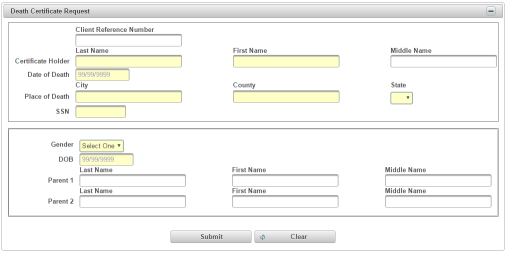
| How to Enter a Death Certificate Request | Information about the certificate(s) is entered into the Death Certificate Request section. Required fields are shaded in yellow. |
|
|
|
| Step 1 |
Enter a Client Reference Number, if applicable (this is any Funeral Home specific identifying number)
|
| Step 2 |
Enter the Certificate Holder Last Name
|
| Step 3 |
Enter Certificate Holder First Name
|
| Step 4 |
Enter Middle Name
|
| Step 5 |
Enter Date of Death in mm/dd/yyyy format. This is the date that the event listed on the certificate occurred.
|
| Step 6 |
Enter the Place of Death - City. This is the city where the death occurred.
|
| Step 7 |
Enter the County where the death occurred
|
| Step 8 |
Enter the State where the death occurred
|
| Step 9 |
Enter the SSN for the decedent listed on the certificate
|
| Step 10 |
Select a Gender of the decedent from the drop down list
|
| Step 11 |
Enter the DOB for decedent the in mm/dd/yyyy format
|
| Step 11 |
Enter the Parent 1 Last Name (if required) of the decedent listed on the certificate
|
| Step 12 |
Enter the Parent 1 First Name (if required) of the decedent listed on the certificate
|
| Step 13 |
Enter the Parent 1 Middle Name (if required) of the decedent listed on the certificate
|
| Step 14 |
Enter the Parent 2 Last Name (if required) of the decedent listed on the certificate
|
| Step 15 |
Enter the Parent 2 First Name (if required) of the decedent listed on the certificate
|
| Step 16 |
Enter the Parent 2 Last Name (if required) of the decedent listed on the certificate
|
| Step 17 |
Click Submit to continue order to Clear to cancel
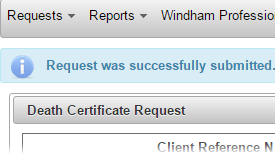
Request was successfully submitted message displays
|